AirPods motion · no camera
A protractor
for your neck.
Your AirPods already contain an accelerometer. This reads the angle of your head off it, and tells you when you've spent too long pointed at your keyboard.
The bit you'll actually see
It lives next to the notch.
Not a menu bar icon. On a notched Mac those overflow into the notch and vanish with no indication they exist at all — which is a strange way for a thing whose whole job is being glanceable to behave.
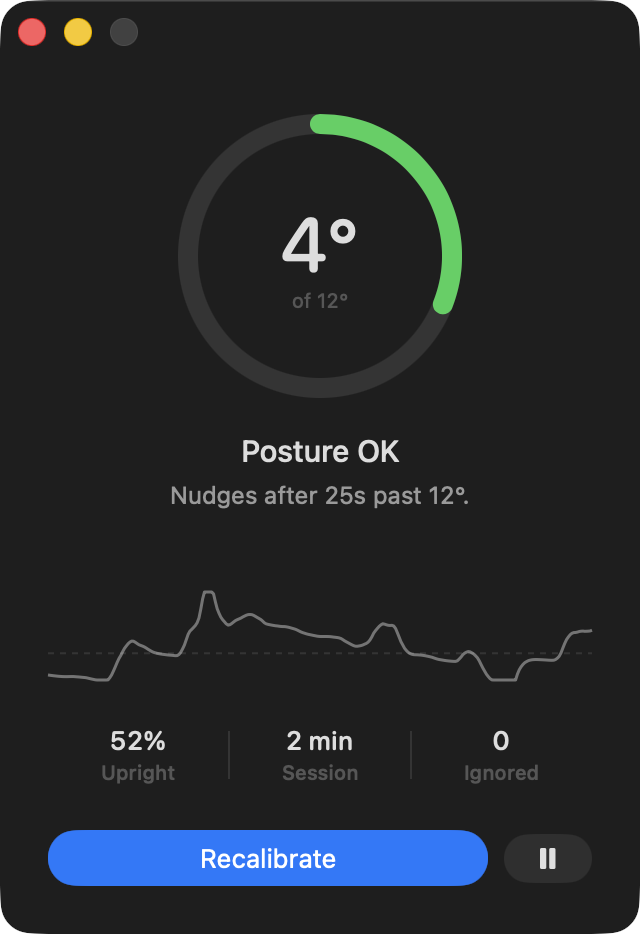
So the reading sits in the empty strip beside the notch, drawn black so it reads as the notch widening. Last minute of head angle, current degrees, green until you're near your limit. Click it to open the window.

The actual problem
Detecting a slouch is the easy part.
Several apps already do it, and they all work the same way: notice you've hunched, tell you about it, repeat forever at a fixed interval. They also all end the same way — you mute them in week two, because being interrupted every two minutes while you're concentrating is worse than the slouch was.
So this one gets quieter the longer you ignore it.
Every nudge you ignore doubles the wait before the next one, up to a limit you set. Sitting up once drops it straight back to the first interval — so full strength is always one good posture away, and never something you have to remember to switch back on.
How it works
The long version →- 01
Sit the way you want to sit
Calibration samples three seconds of head pitch and takes the median, so one glance sideways doesn't skew your baseline. You do this once.
- 02
Forget it's there
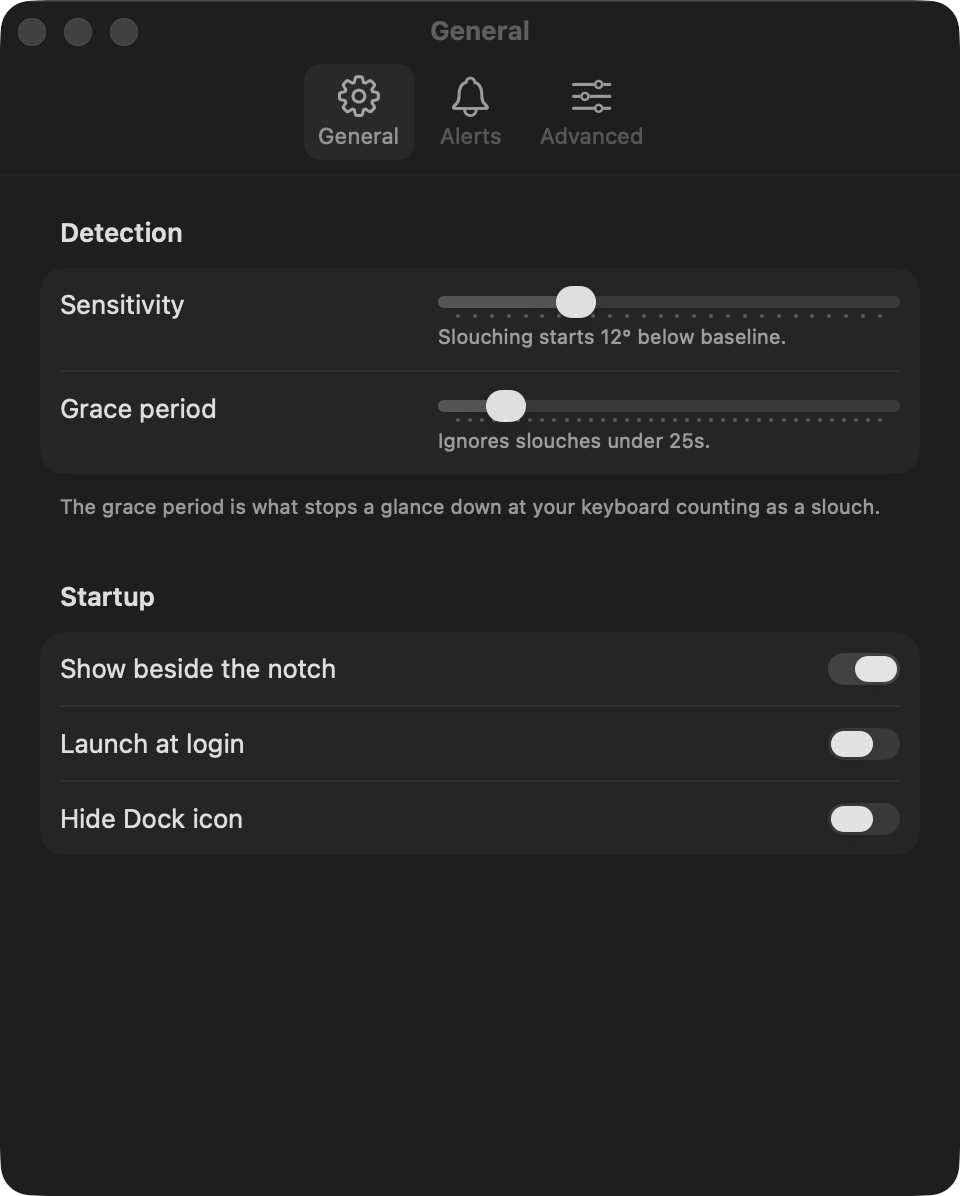
It reads about 25 samples a second from the accelerometer already in your AirPods, and smooths them. Brief looks down at the keyboard never count — a slouch has to hold for 25 seconds before it registers.
- 03
Get nudged, eventually
A notification, a sound, or just the strip beside the notch changing colour. Sitting up clears it and resets the pacing.
The whole app
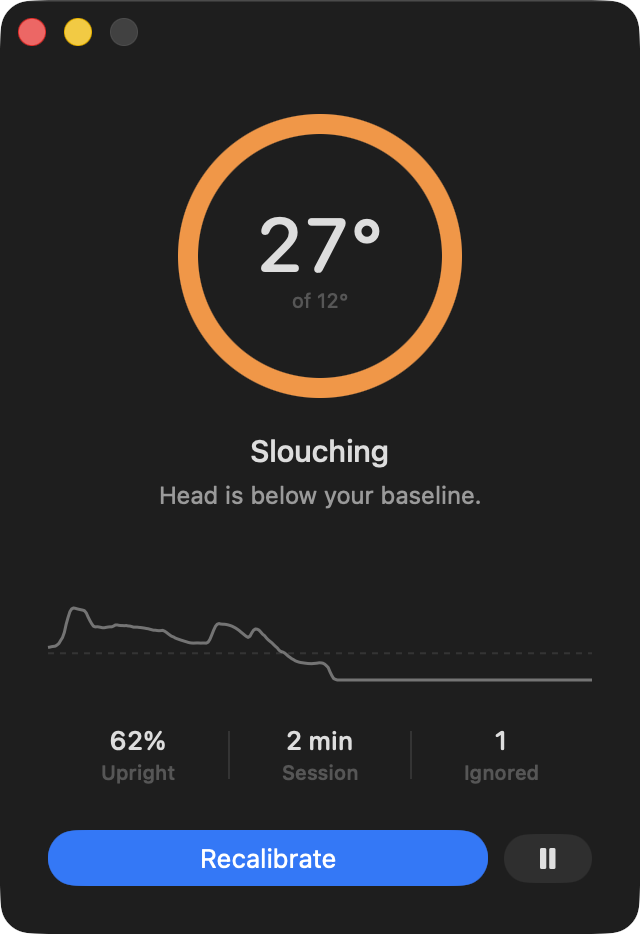
One window, three numbers.
The ring fills as you approach your limit. Underneath it: how much of this session you've spent upright, how long you've been at it, and how many nudges you've ignored. Everything else lives in Settings, and most days you won't open it.
Honestly
It measures your head, not your spine.
Head pitch catches the screen-slump well, because that is what hunching does to your neck. It cannot tell leaning back in a well-aligned chair from sitting bolt upright, and it will read a long look down at a notebook as a slouch until the grace period filters it out. It's a nudge, not a measurement of your health.
- Hardware
- AirPods Pro, AirPods 3rd gen or later, AirPods Max, Beats Fit Pro
- System
- macOS 14 or later, Apple Silicon
- Measures
- Head pitch, gravity-referenced — no camera, ever
- Network
- None. There is no networking code in it
- Price
- Free. It was a weekend project
Signed and notarized, so it opens without a fight. Drag it to Applications, then sit up straight and press Calibrate. That's the whole setup.